
If you asked me a few years ago what debugging was, I would have said something like this:
“Fixing bugs by trying things until the app works.”
That sounds honest, but it also explains why debugging used to drain my energy.
I would stare at the screen.
Refresh the page again and again.
Add a console.log here.
Delete it.
Add another one there.
Comment out half the file.
Uncomment it.
Reload.
Hope.
Sometimes it worked.
Often it didn’t.
And even when it did, I wasn’t sure why.
Over time, one habit changed all of that.
Not a tool.
Not a framework.
Not a fancy debugger feature.
A habit.
And today, this single habit saves me more time than anything else I do while debugging.
The Habit: Write Down What You Believe Is Happening
Before touching the code, I stop and write down what I think the program is doing.
Not in my head.
Not vaguely.
Not emotionally.
I write it down clearly, step by step, in plain language.
That’s it.
It sounds almost too simple.
But this habit changed how I debug.
Let me explain why it works, how I use it, and how it saved me countless hours.
What Debugging Used to Feel Like
Earlier in my career, debugging felt like chaos.
I would jump straight into the code.
Scroll fast.
Search for the error line.
Search on Google.
Paste the error message.
Open five tabs.
Read half an answer.
Try a fix.
Most of the time, I wasn’t thinking.
I was reacting.
The problem was not lack of knowledge.
The problem was lack of clarity.
I didn’t really know what I believed the code was doing.
I only knew what I wanted it to do.
And those are very different things. (I wrote about how debugging reveals our thinking here).
Why Our Brains Are Bad at Debugging Without Writing
When a bug appears, your brain does something interesting.
It panics a little.
You want the error to go away.
You want the red text gone.
You want the app to work again.
In that state, your brain starts guessing instead of reasoning.
You think:
- “Maybe this state is wrong”
- “Maybe React is re-rendering too much”
- “Maybe the API is slow”
- “Maybe this hook is broken”
Notice something?
Everything is “maybe”.
That’s dangerous.
Because “maybe” leads to random changes.
Random changes lead to accidental fixes.
Accidental fixes lead to fragile code.
Writing slows your brain down.
It forces your thoughts to become clear.
It turns guesses into statements.
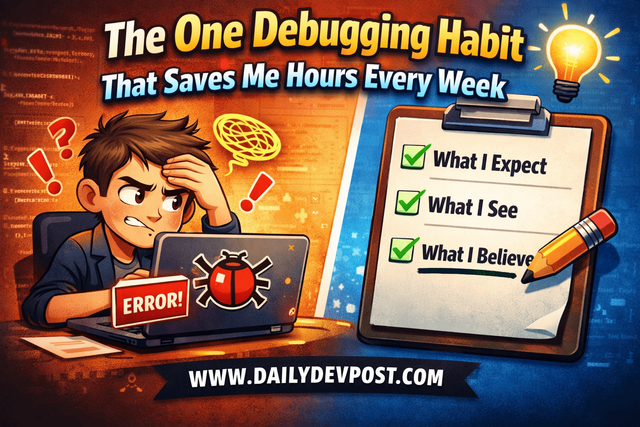
What I Actually Write Down
When something breaks, I open a notes app, or even a comment at the top of the file, and I write three things.
1. What I Expect to Happen
Very simple.
For example:
When I click the Save button, the form data should be sent to the API, and I should see a success message.
No technical words.
No framework talk.
Just behavior.
2. What Is Actually Happening
Again, very literal:
When I click the Save button, nothing happens. No request is sent. No error is shown.
Or:
The request is sent, but the UI does not update.
This step matters more than people think.
It separates facts from feelings.
3. What I Believe the Code Is Doing
This is the most important part.
Example:
I believe the click handler runs.
I believe it calls the submit function.
I believe the submit function exits early becauseisValidis false.
I believeisValidis false because the state has not updated yet.
Now we are no longer guessing randomly.
We are stating beliefs.
And beliefs can be tested.
Why This Habit Saves Time
At first, writing this feels slower.
You want to jump into the code.
You want to “just fix it”.
But here’s the truth:
Most debugging time is wasted on fixing the wrong problem.
This habit prevents that.
Once your belief is written down, debugging becomes simple:
You check if each belief is true.
That’s it.
Debugging Becomes a Series of Yes/No Questions
This process works best when you can trust the error messages. (I wrote about how to read errors better here).
Let’s continue the example.
You wrote:
I believe the click handler runs.
Add one console.log at the very start of the click handler.
Click the button.
- If you see the log: belief confirmed.
- If you don’t: belief is wrong.
Then:
I believe it calls the submit function.
Add a log inside submit.
Confirm or reject.
Each step is small.
Each step gives certainty.
The Big Shift: From Fixing to Understanding
Earlier, my goal while debugging was:
Make the bug go away.
Now, my goal is:
Understand what is actually happening.
The funny part?
Bugs go away faster when you focus on understanding.
Because once you understand the real cause, the fix is usually obvious.
A Real Example From My Work
I once had a React component that re-rendered more than I expected.
The UI felt slow.
Nothing was “broken”, but something was off.
Old me would have:
- Wrapped everything in
useMemo - Added
useCallbackeverywhere - Hoped performance improved
Instead, I wrote:
I believe this component re-renders because its parent state changes.
I believe the props are the same, but the component still re-renders.
I believe React sees the props as different objects on every render.
I logged the props.
Compared references.
Checked where objects were created.
Turned out I was creating a new object inside render and passing it as a prop.
One line.
One fix.
Problem solved.
This Habit Also Makes You Calmer
Debugging used to stress me out.
Now it feels quieter.
When you write down what you believe, the problem stops feeling huge.
It becomes smaller.
Contained.
Understandable.
Why This Works Even When You’re Tired
Some bugs appear at the worst time.
Late evening.
Deadline close.
Energy low.
This habit still works.
Because it removes creativity from debugging.
You don’t need to be smart.
You don’t need to remember tricks.
You just need to verify beliefs.
How This Habit Improves Your Code Long-Term
When you regularly write down what you think the code does, you start writing clearer code.
You:
- Name things better
- Separate responsibilities naturally
- Avoid hidden side effects
If you can’t explain what your function does in one or two sentences, that’s a signal.
This Habit Scales With Experience
Beginners benefit from this habit.
So do senior developers.
The difference is only in complexity.
Same habit.
Different depth.
How to Start Using This Today
Next time something breaks, pause for one minute.
Write:
- What you expect
- What you see
- What you believe is happening
Then test your beliefs one by one.
Final Thought
Debugging didn’t get easier because I learned more APIs.
It got easier because I stopped lying to myself about what I knew.
Writing down what you believe forces honesty.
And honesty is the fastest path to fixing bugs.
Don’t fight the bug.
Understand it.
☕Did you like the article? Support me on Ko-Fi!