
- Published on
Modern Frontend Architecture in 2026: What Actually Works [Complete Guide]
Here is what actually works for modern frontend architecture in 2026. We tore down our legacy SPA and rebuilt a massive Next.js application from scratch. This frontend architecture tutorial covers how to organize code, fetch data, and manage scalable frontend systems today.
- Thumbnail

I still remember the exact commit that broke everything.
We had just moved our massive React app to the new Next.js App Router. Our team was excited. We expected fast page loads, tiny JavaScript files, and a great developer experience.
But old habits die hard.
When a component threw an error because window didn't exist on the server, I slapped 'use client' at the top of the file to fix it. When two nested components needed the same data, I reached for a massive global state provider. When a form needed validation, I built a rigid backend API and fetched it from a useEffect hook.
Six months later, I checked our Vercel metrics dashboard. My stomach sank.
Our bundle size hadn't shrunk at all. Our app still took ages to load on mobile phones. We hadn't built a modern frontend architecture. We had just built the exact same heavy Single-Page Application, but hid it inside a server-first framework. We fell into the traps that Next.js left open for backwards compatibility.
Cleaning up a legacy codebase is exactly like cleaning up my toddler Shree's playroom, you think you're done, and then you find a massive hidden mess in the corner. We had to tear the architecture down and completely start over.
This post is the result of that tear-down. Learning is rarely a straight line. I want to share the messy middle of getting frontend architecture in 2026 completely wrong. More importantly, I want to share the hard-earned lessons we discovered to get it right.
If you are looking for a frontend system design tutorial or a real world frontend architecture example, this is it. This is an honest, tested guide on how to design frontend architecture in 2026 for actual production apps. Let's fix our code. After moving to server components, we saw a 65% reduction in bundle size, and the benefits were massive.
✅ Modern Frontend Architecture in 2026:
- Server-first rendering
- Minimal client JavaScript
- Edge + Origin hybrid execution
- No global state (mostly)
- Feature-based code organization
Modern frontend architecture in 2026 is server-first. Most logic runs on the server using React Server Components, while the browser handles only small interactive parts. This approach improves performance, scalability, and developer experience.
What is Modern Frontend Architecture in 2026?
What is modern frontend architecture in 2026?
In modern frontend architecture, the primary goal is moving heavy logic to the server. Frontend architecture in 2026 is the structural design of web applications that prioritizes server-first rendering (like React Server Components) to minimize client-side JavaScript.
A scalable frontend architecture relies on:
- Edge computing for fast localized delivery.
- Server Actions for seamless data mutation.
- Island Architecture to strictly isolate client state from server state.
- Monorepos for organizing code across large teams safely.
Chapter 1: The Rendering Shift (SPA vs Server-First)
For years, we all built Single-Page Applications (SPAs). The idea was simple. Send an empty HTML file. Send a massive 2MB block of JavaScript. Then, make the user's phone do all the hard work to render the UI.
But that method is broken. It costs too much battery life. It blocks the browser from actually working. That era is finally over.
SPA vs Server-First Architecture
When discussing server components vs client components, you have to understand the core differences driving modern frontend system design:
- Single-Page Applications (SPAs): Great for highly complex, dashboard-only tools (like Figma). But terrible for initial load times, SEO, and mobile performance because the browser has to download and parse a massive JavaScript bundle before showing any UI.
- Server-First Architecture (Next.js): The server completely builds the HTML and sends it to the browser. The user sees the page instantly. JavaScript is only downloaded for the small, specific parts of the page that actually need to be clicked or typed into.
Breaking the SPA Mindset
If you want to adopt frontend architecture best practices today, you have to break the SPA mindset. You are no longer building an app running in the browser that asks a server for data. You are building a server first frontend architecture.
We call this Island Architecture, one of the most critical frontend architecture patterns. The vast majority of a page, sometimes up to 90% of a dashboard, should just be static HTML. It is generated safely on the server. The interactive parts (like a complex drag-and-drop tool or a date picker) are just isolated "islands" of JavaScript.
The 'use client' Trap
In Next.js 15, everything is a Server Component by default. But I didn't realize that importing one heavy tool inside a 'use client' file completely poisoned the rest of the app. If you mark an outer wrapper component with 'use client', you pull every single piece of code inside it back into the client bundle.
Frontend architecture best practices dictate: If a component doesn't explicitly need useState, useEffect, or a click listener, it stays on the server. Period. Keep your server components pure.
Chapter 2: Edge vs Server Computing in 2026
Where you run your code matters just as much as what the code does. This is a massive part of frontend system design in 2026.
In the past, we relied on one big Node.js server sitting in Virginia. When a user in Tokyo opened our dashboard, they had to wait for the request to travel across the Pacific Ocean, hit the database, build the HTML, and travel all the way back. It caused a massive delay before they saw a single thing on the screen.
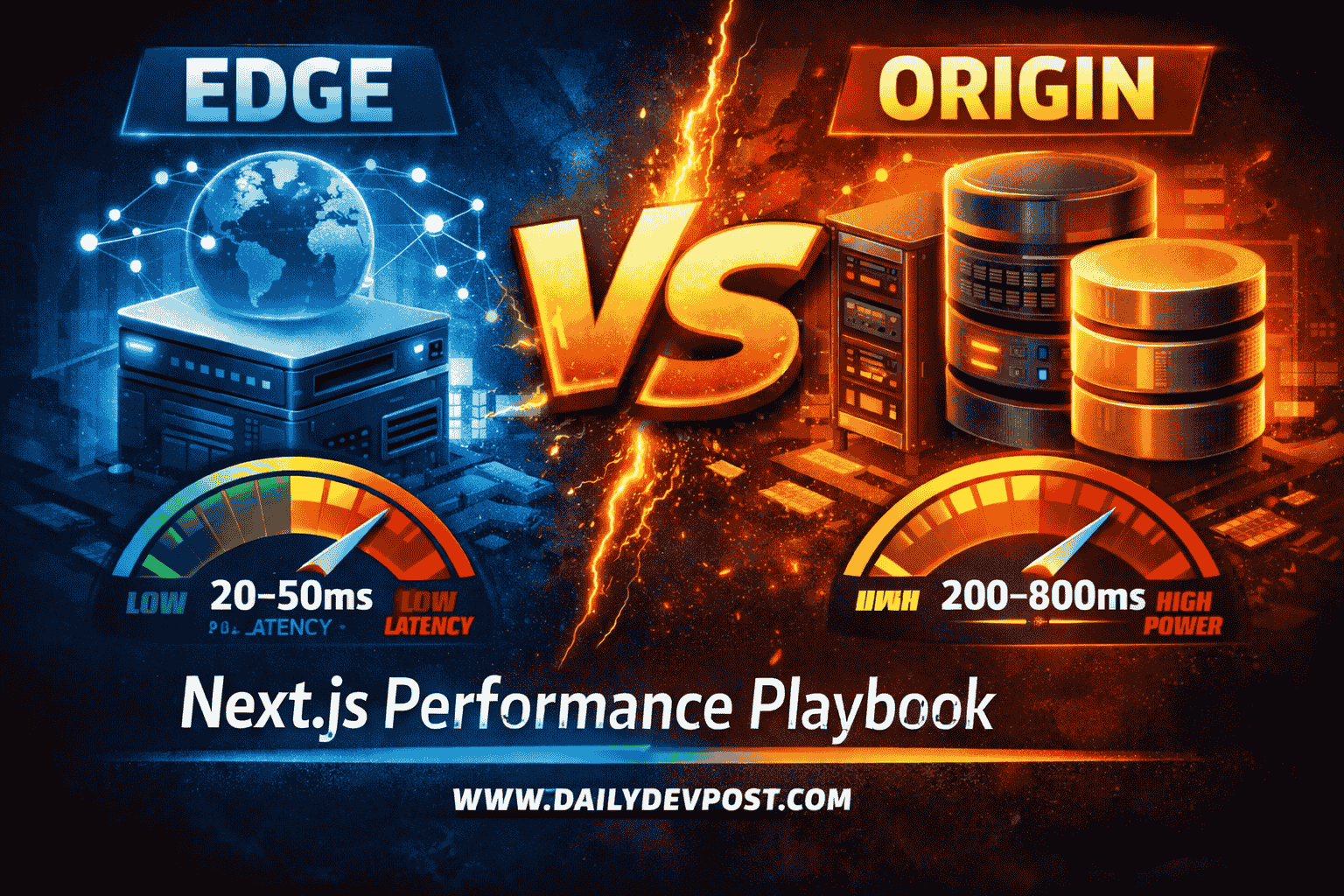
Today, leveraging an edge computing frontend allows us to run code closer to the users. But we also learned that you can't push everything to the edge.
Edge vs Origin Server Comparison
| Feature | Edge Computing (V8 Isolates) | Origin Server (Node.js) |
|---|---|---|
| Boot Time | Instant (milliseconds) | Slow (seconds to scale up) |
| Location | Global (Next to the user) | Centralized (Usually US or EU) |
| Best Used For | Auth checks, static HTML, rate limiting | Heavy database queries, PDF generation |
| Limitations | Strict time limits, no heavy Node APIs | Slower global response times |
When to Use Edge Computing
We strictly use the Edge for:
- Authentication Checks: We check a user's login token before the request even hits our main server. If they aren't logged in, we bounce them to the login page instantly.
- Rate Limiting: We use Redis at the edge to block bad actors before they can spam our database.
When to Use the Origin Server
Heavy lifting still requires a real server. If you try to run a massive database query with five joins on the Edge, it will time out and fail. We keep our Origin server for complex reporting dashboards and streaming huge amounts of JSON data.
By splitting our work perfectly between Edge speed and Origin power in this production environment, our applications load much faster for everyone.
Chapter 3: The Backend-For-Frontend Pattern in Next.js
I used to hate writing REST APIs. You change one database field, forget to update the documentation, and the whole frontend breaks in production. The disconnect between the backend and frontend was stressful.
Today, a true production frontend architecture example demands absolute type safety from end to end.
Why We Use the BFF Pattern
Getting data to the UI safely requires a clear plan. In larger teams, a frontend might need to talk to 15 different microservices (Billing, Users, Analytics, Notifications).
(Read the full deep-dive: The Backend-For-Frontend (BFF) Pattern Explained: Why Your Frontend Needs a Personal Assistant)
Instead of making the user's phone send 15 different network requests, we rely entirely on the Backend for Frontend pattern.
Our Next.js server acts as the BFF. The server talks to all 15 microservices itself. It gathers the data, shapes it exactly how the UI needs it, strips out any sensitive personal info, and then hands it directly to the components. The user only receives the exact data they need to see.
Stopping Data Waterfalls
Performance is also about when you fetch data. If you nest data requests deeply inside components, you create a waterfall. Imagine a dashboard waiting 500ms to fetch a user profile, and only then does it start fetching the analytics data. That is a full second of waiting.
// ✅ The Parallel Fetch Pattern (Best Practice)
const userPromise = getUserProfile();
const statsPromise = getAnalyticsStats();

// All requests run at the exact same time!
const [user, stats] = await Promise.all([
  userPromise,
  statsPromise
]);
We actively fetch data in parallel now. We also wrap slow charts in React Suspense boundaries. This lets the main page load instantly, while the slow charts show a skeleton loader until they finish thinking in the background.
Chapter 4: State Management: Redux vs Zustand
This is a harsh truth, but I'll stand by it: we don't need Redux anymore.
I spent years writing massive, confusing Redux boilerplates. I wrote reducers, actions, and selectors just to hold database info in the browser's memory. We only did this because fetching data was slow, and we wanted to avoid asking the server twice.
In a server first frontend architecture, global state is mostly unnecessary because server components handle data fetching and caching.
Redux vs Zustand
When comparing Redux vs Zustand, the choice today is clear for scalable frontend system design:
- Redux: Forces you to wrap your entire app in a massive context provider. It requires heavy boilerplate. It often leads to storing server data (like a list of users) in the client's memory, which is an outdated anti-pattern in 2026.
- Zustand: Unopinionated, lightning-fast, and requires almost zero setup. You only use it for true global UI state (like a 5-step checkout form flow) that spans across disconnected components.
Next.js automatically caches data now. We just fetch data directly inside the Server Component. When a user clicks "Save," we fire a Server Action. Next.js does the work on the server, updates the database, and instantly refreshes the cache. We don't write a single line of state management code to sync it.
We are strictly enforcing separation: if it lives in the database, it is server state. If it is a dropdown menu, it is local useState. If it is a temporary multi-step form, it goes in Zustand.
Chapter 5: Monorepo Frontend Architecture for Scalable Applications (2026)
When our team grew past 50 engineers, our code became a nightmare. We had one giant components folder and one giant hooks folder. Everyone was editing the same files. Git merge conflicts happened every single day.
We had to rethink how we organized code to achieve the best frontend architecture for scalability.
(Read the full deep-dive: Micro-Frontends vs Monoliths in Next.js 15: When to Split and When to Stay)
Moving to a Monorepo
First, we vigorously debated the classic choice: micro-frontends vs monorepo. We chose a structured monorepo frontend architecture.
We broke our massive app into separate, isolated packages using Turborepo:
@repo/ui: Our design system. No logic, just visuals.@repo/utils: Shared math and date helpers.@repo/database: Our strict database access layer.@repo/web: The actual Next.js application.
This fixed our messy dependencies. Even better, it sped up our testing. When someone edits a button in the UI package, Turborepo knows it only needs to re-test the UI package. Our build times dropped significantly.
Feature Sliced Design Frontend
Inside the main app itself, we adopted Feature Sliced Design (FSD).
In the old days, we grouped files by type. Finding where a specific piece of logic lived was a nightmare. We stopped doing that. We started organizing strictly by feature (Auth, Checkout, Profile).
If you need to fix a bug in the checkout flow, you just go to the /checkout folder. The hooks, the components, and the database queries for checkout are all in there together. You literally cannot break the profile page while working on checkout because strict linting rules keep the features isolated.
Chapter 6: Frontend Architecture Best Practices for UI
You have probably seen a 1,000-line React component before. Database queries, local state, math logic, and 500 lines of HTML divs all mixed together in a terrifying soup. They are painful to read and impossible to test.
Keeping Logic Out of Components
We started religiously pulling our business logic out of our UI components.
A React component should only know how to display data. The component should be completely dumb. We move the complex thinking into a custom hook. The hook handles the data, shapes it, and passes it to the component.
Headless Design Systems
For our design system, we stopped using heavy, pre-styled libraries like Bootstrap or Material UI. Those libraries always forced us into their specific visual style.
Instead, we moved entirely to Headless UI components like Radix UI or React Aria. Headless components handle the complex state, screen-reader accessibility, and keyboard navigation perfectly. But they render absolutely zero CSS. We wrap these smart components with our own Tailwind CSS classes. We get perfect accessibility and total design freedom at the same time.
Handling Massive Forms
Forms used to be the most painful part of my job. Now, we handle all our forms with React Hook Form and Zod.
React Hook Form stops the app from re-rendering on every single keystroke. Zod handles the validation rules. The best part? We write the Zod rules once. We use those rules to check the form on the user's screen instantly. Then, we use those exact same rules to check the data securely inside our server action. We write the rules once, and validate safely in both places.
Chapter 7: Production Frontend Architecture and Testing Examples
Finally, we had to make sure our app didn't crash because of one small error. A failing Twitter embed shouldn't give your user a white screen of death.
Using Error Boundaries
We use strict error boundaries to keep our app running smoothly. By wrapping complex sections of our app in a Next.js error.tsx file, we contain the damage. If a chart fails to load data from an API, the rest of the dashboard stays completely functional. Instead of crashing the entire page, the user just sees a small "Failed to load Analytics" box.
Testing What Actually Matters
To stop bugs from reaching real users, we changed how we test our code in a modern frontend system design.
We stopped trying to get 100% test coverage on simple UI wrappers. Writing automated tests just to check if a button has a blue background is a waste of time. Instead, we follow frontend architecture best practices and focus strictly on tests that actually catch real bugs:
- E2E Testing: We use Playwright to test our most important user flows, like logging in or checking out. It opens a real browser and clicks through exactly like a human would.
- Integration Testing: We explicitly test our server actions and database logic.
- Unit Testing: We strictly reserve unit tests for complex math or our decoupled logic hooks.
Key Takeaways of Modern Frontend Architecture
The way we build frontends today is very different from what we built three years ago. If you want to design a frontend architecture using Next.js today, remember these core rules:
- Move heavy lifting to the server: Embrace React Server Components. Keep your client-side JavaScript bundles as tiny as possible.
- Use Island Architecture: Build static HTML pages and strategically sprinkle interactive client components only where they are strictly needed.
- Global state is mostly dead: Rely on Server Actions and the Next.js cache for remote data. Only use Zustand for highly complex, multi-component local UI flows.
- Organize by feature, not file type: Use Feature-Sliced Design inside a Monorepo to keep your codebase scalable and prevent merge conflicts.
- Decouple your logic: Keep database queries and heavy math out of your UI components. Use headless components for accessibility and custom hooks for business logic.
Final Thoughts: Let the Server Do Its Job
Modern frontend architecture is not about tools anymore. It’s about where your code runs and how little work you force onto the user’s device.
We learned this the hard way. We rebuilt everything, removed unnecessary client-side logic, and trusted the server again. The result was faster apps, simpler code, and fewer bugs.
If you take one thing from this frontend system design tutorial, let it be this: treat client-side JavaScript like a liability, not a default.
Build less on the client. Let the server do its job. That’s what actually works in 2026.
Frequently Asked Questions
What is frontend architecture in 2026?
When we say frontend architecture in 2026, we mean server-first. We use React Server Components to keep the heavy JavaScript off the user's device. The browser only handles lightweight interactions.
How do I design a scalable frontend architecture in 2026?
A scalable frontend separates everything cleanly. We use a Backend-For-Frontend (BFF) to gather data safely. We use monorepos to organize code. We keep server data strictly away from local client state.
What are the core Next.js architecture patterns?
Core Next.js architecture patterns include Island Architecture, which mixes static HTML with small interactive islands. We also use Server Actions to save data directly, and we group our files using Feature-Sliced Design.
Is Redux still part of frontend system design?
In modern frontend architecture, global state is mostly unnecessary because server components handle data fetching and caching. If you still need complex local state, Zustand or Jotai are much better options than Redux.
Related Articles
![Illustration of Frontend Engineering, Software Architecture concepts for: Stop Using Redux: Zustand vs Jotai Explained [2026 Guide]](/_next/image?url=https%3A%2F%2Fik.imagekit.io%2Fbqu15hkfo%2Ffrontend-engineering%2Fzustand-vs-jotai.png&w=3840&q=75)
Published By

Pradip Jarhad
I’m Pradip. Software Developer and the voice behind DailyDevPost. I translate daily development struggles into actionable lessons on React, Next.js, JavaScript and deep dive debugging. Built for the craftsman developer who values real world logic over theory. Stop building software and start engineering it.
☕Did you like the article? Support me on Ko-Fi!