
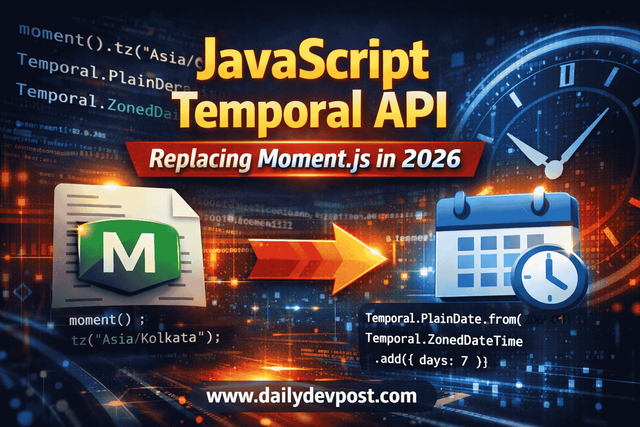
The JavaScript Temporal API is the standards-based replacement for both the legacy Date object and libraries like Moment.js. It provides immutable, timezone-aware, predictable date and time handling. If you are looking for a JavaScript Temporal API migration guide, the short version is this. Replace parsing with Temporal.PlainDate or Temporal.Instant, replace timezone logic with Temporal.ZonedDateTime, and replace date math with .add() and .subtract() on immutable Temporal objects.
That is the answer.
Now let’s talk about why you should care.
The Problem: Why We Needed a Moment.js Replacement
Why Moment.js Was Deprecated
I used Moment.js for years.
It solved real problems. Parsing. Formatting. Timezones. Human-readable diffs.
But it also came with trade-offs.
The Moment team put the project into maintenance mode. No new features. No major improvements.
The reasons were clear.
- Mutable API
- Large bundle size
- Poor tree-shaking
- Not aligned with modern ECMAScript direction
In 2026, shipping Moment in a greenfield app makes little sense. If you are searching for a moment.js replacement, you are already feeling that tension.
The bigger issue is this.
Moment never fixed the root problem.
JavaScript’s Date.
Why the JavaScript Date Object Is Fundamentally Broken
Date is not evil. It is just confusing.
The API mixes UTC and local time in unpredictable ways. Parsing is inconsistent. DST transitions introduce subtle bugs. Methods mutate internal state.
We have all seen code like this:
const date = new Date("2026-03-29T01:30:00");
date.setHours(date.getHours() + 1);
What happens during DST shift?
It depends.
That is the problem.
Fixing JavaScript date timezone issues with Date requires discipline and defensive coding. You end up wrapping everything in helper utilities. Or you pull in a library.
That is how Moment became popular.
But the real solution had to come from the language itself.
The Solution: How the JavaScript Temporal API Fixes Date and Time
Temporal fixes the model.
Not the formatting layer. Not the helper methods. The model.
Three design decisions matter.
- Immutability
- Clear separation of concepts
- First-class timezone handling
Let me show you.
Clear Object Types Instead of One Confused Date
Temporal does not overload everything into one object.
You get explicit types.
Temporal.PlainDatefor calendar datesTemporal.PlainDateTimefor local date and time without timezoneTemporal.Instantfor absolute timestampsTemporal.ZonedDateTimefor timezone-aware values
That separation alone eliminates entire categories of bugs.
If you just need a birthday:
const birthday = Temporal.PlainDate.from("1995-08-17");
No timezone. No implicit offset. Just a date.
If you need an absolute moment in time:
const now = Temporal.Now.instant();
Clear intent. No guessing.
Temporal vs Moment.js vs JavaScript Date
| Feature | JavaScript Date | Moment.js | Temporal API |
|---|---|---|---|
| Mutable | Yes | Yes | No |
| Timezone Handling | Implicit | Plugin-based | Explicit and native |
| Tree-shakable | No | No | Yes |
| DST Safety | Bug-prone | Better | Correct by design |
| Native | Yes | No | Yes |
The biggest shift is this.
Temporal makes timezone an explicit part of the type system.
That changes how you think about time.
Implementation: JavaScript Temporal API Migration Guide
If you are migrating a real codebase, you need patterns. Not theory.
Here is the practical JavaScript Temporal API migration guide I use.
Audit Your Moment.js Usage
Do not replace blindly.
Search for:
moment()moment.tz.add.subtract.format
Categorize them:
- Parsing
- Formatting
- Timezone conversion
- Date math
- Comparisons
Replace category by category.
Replacing Moment.js Parsing
Before:
import moment from "moment";

const date = moment("2026-01-01");
After:
const date = Temporal.PlainDate.from("2026-01-01");
Parsing a full timestamp:
const instant = Temporal.Instant.from("2026-01-01T10:15:30Z");
No implicit local assumptions.
Replacing Moment.js Timezone Handling
Moment:
moment.tz("2026-01-01 10:00", "Asia/Kolkata");
Temporal:
const zoned = Temporal.ZonedDateTime.from({
  timeZone: "Asia/Kolkata",
  year: 2026,
  month: 1,
  day: 1,
  hour: 10
});
From an instant:
const instant = Temporal.Instant.from("2026-01-01T04:30:00Z");

const kolkataTime = instant.toZonedDateTimeISO("Asia/Kolkata");
Timezone is not an afterthought. It is part of the object.
Performing Date Arithmetic
Moment:
moment().add(7, "days");
Temporal:
const nextWeek = Temporal.Now.plainDateISO().add({ days: 7 });
Immutability:
const today = Temporal.Now.plainDateISO();
const tomorrow = today.add({ days: 1 });

console.log(today.toString());
console.log(tomorrow.toString());
today remains unchanged.
Formatting Dates
Moment:
moment().format("YYYY-MM-DD");
Temporal uses Intl:
const date = Temporal.Now.plainDateISO();

const formatted = date.toLocaleString("en-IN", {
  dateStyle: "medium"
});
Temporal relies on standards. Not custom token systems.
Comparisons
Moment:
moment(a).isBefore(b);
Temporal:
Temporal.PlainDate.compare(a, b) < 0;
With instants:
Temporal.Instant.compare(instantA, instantB) > 0;
Explicit. Predictable.
Handling Timezone Correctly Using Temporal.ZonedDateTime
Schedule a meeting at 9 AM New York time:
const meeting = Temporal.ZonedDateTime.from({
  timeZone: "America/New_York",
  year: 2026,
  month: 3,
  day: 29,
  hour: 9
});
Convert to Tokyo:
const tokyoMeeting = meeting.withTimeZone("Asia/Tokyo");
Wall clock changes. The instant remains correct.
Performance and Bundle Size
Moment adds weight.
Temporal is native. Zero bundle cost.
Migrating to Temporal plus Intl often reduces bundle size and simplifies code.
Backend performance in Node 20+ is competitive and often faster due to fewer internal conversions.
Pitfalls: What Can Still Go Wrong
Mixing Date and Temporal
const instant = Temporal.Now.instant();
const date = new Date(instant.epochMilliseconds);
Reverse:
const instantFromDate = Temporal.Instant.from(date.toISOString());
Be deliberate.
Choosing the Wrong Temporal Type
- Absolute moment in time →
Instant - User-facing event tied to timezone →
ZonedDateTime - Pure calendar date →
PlainDate
Be explicit about intent.
Browser and Environment Support
import "@js-temporal/polyfill";
Use the official polyfill if required.
FAQ: JavaScript Temporal API Migration
How do I replace Moment.js with Temporal API?
Audit usage. Replace parsing with Temporal.PlainDate or Instant. Replace timezone logic with ZonedDateTime. Replace date math with .add() and .subtract(). Use Intl for formatting. Migrate incrementally.
What is the difference between JavaScript Date and Temporal API?
Date is mutable and implicit. Temporal is immutable and explicit with dedicated types. Temporal reduces DST and timezone bugs by design.
How do I handle timezones correctly using Temporal.ZonedDateTime?
Create with timeZone. Convert using .withTimeZone(). Use Instant for universal reference points.
Is Temporal API production-ready in 2026?
Yes for modern runtimes. Verify support. Use the official polyfill where necessary.
Final Thoughts: Should You Adopt Temporal in 2026?
If you are starting a new project in 2026, do not use Moment.js.
If you are debugging timezone bugs weekly, stop patching Date.
Use Temporal.
This JavaScript Temporal API migration guide is about eliminating classes of bugs we have tolerated for too long.
Temporal is boring. Predictable. Explicit.
That is what we want from time handling.
If you are still calling new Date() everywhere without thinking about timezone boundaries, you are probably shipping subtle bugs.
Temporal gives us a better default.
Use it.
☕Did you like the article? Support me on Ko-Fi!